Common Encryption Myths Debunked: What You Really Need to Know About Message Security

Sarah Mitchell
23 March 2026
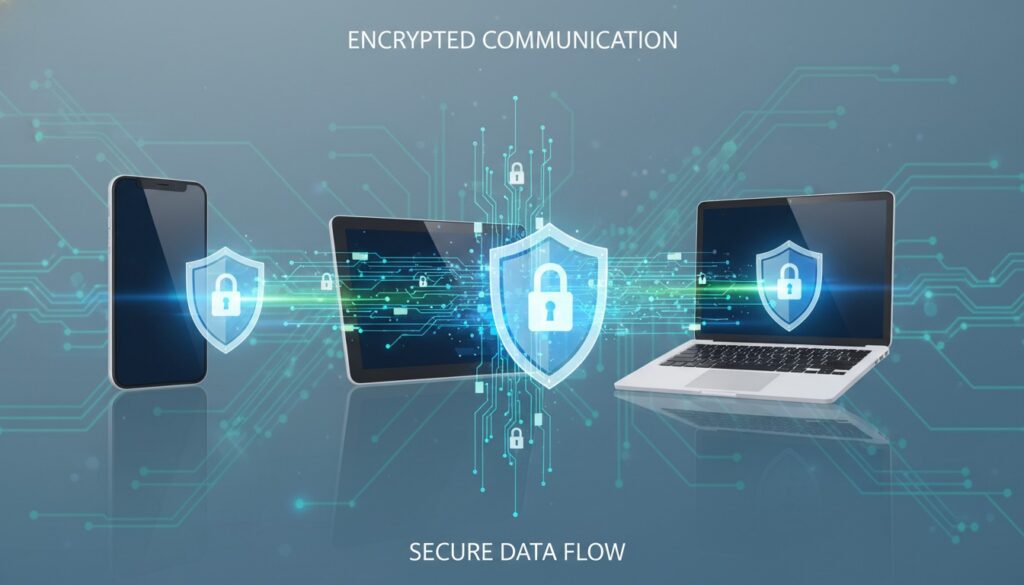
Common Encryption Myths Debunked: What You Really Need to Know About Message Security
Introduction
In our digital age, encryption has become the invisible guardian of our most sensitive communications. Yet despite its critical importance, encryption remains one of the most misunderstood technologies in cybersecurity. From the belief that “only criminals need encryption” to the misconception that it’s “too complicated for regular users,” these myths are not just wrong—they’re dangerous.
These misconceptions prevent millions of people from properly securing their digital communications, leaving them vulnerable to data breaches, identity theft, and privacy violations. Whether you’re a business professional handling confidential information or simply someone who values their personal privacy, understanding the truth about encryption is essential for making informed security decisions.
Today, we’ll debunk the most persistent encryption myths and provide you with the factual knowledge you need to protect your digital communications effectively.
Myth 1: “Encryption is Only for Criminals and Paranoid People”
The Reality: Encryption is Everywhere and Essential
This is perhaps the most damaging myth about encryption. The truth is that encryption protects everyone’s daily digital activities. Every time you:
- Shop online and enter your credit card information
- Log into your bank account
- Send a text message
- Use a messaging app like WhatsApp or Signal
- Access your email
- Healthcare professionals protecting patient records
- Journalists safeguarding source communications
- Business executives securing confidential negotiations
- Parents protecting family photos and personal communications
- Students securing academic and personal information
- It would take a conventional computer billions of years to crack AES-256 encryption through brute force
- Even with quantum computing advances, properly implemented encryption remains highly secure
- The NSA approves AES-256 for TOP SECRET government communications
- Poor implementation of encryption protocols
- Weak passwords or authentication methods
- Social engineering attacks targeting users
- Malware that captures data before encryption or after decryption
- Backdoors intentionally built into systems
- Signal’s encryption has protected activists and journalists worldwide
- Apple’s device encryption has successfully resisted law enforcement attempts to crack it
- ProtonMail’s end-to-end encryption has kept user emails secure even when servers were seized
- WhatsApp: End-to-end encryption enabled by default
- Signal: Military-grade encryption with an interface as simple as standard texting
- Telegram: Secret chats with self-destructing messages
- ProtonMail: Encrypted email that works like Gmail
- Tutanota: Automatic encryption with user-friendly interface
- VeraCrypt: Create encrypted folders with password protection
- 7-Zip: Add password protection to file archives
- BitLocker (Windows) / FileVault (Mac): Built-in disk encryption
- Download Signal from your app store
- Verify your phone number during setup
- Start messaging – encryption is automatic
- Enable disappearing messages for extra security
- Verify safety numbers for important contacts
- True end-to-end encryption means even the service provider cannot access your messages
- Open-source encryption tools can be audited by security experts worldwide
- Mathematical impossibility: You cannot create a backdoor that only “good guys” can use
- Criminal hackers seeking to steal personal information
- Foreign governments conducting espionage
- Malicious insiders at technology companies
- Authoritarian regimes targeting dissidents and journalists
- End-to-end encryption by default
- Open-source code that can be independently verified
- Zero-knowledge architecture where providers cannot access your data
- Strong privacy policies and transparent practices
- Modern smartphones encrypt and decrypt data in real-time without noticeable delay
- Encrypted messaging apps use minimal additional bandwidth
- Full-disk encryption on computers typically has less than 5% performance impact
- Keep your operating system updated for latest encryption optimizations
- Use apps with efficient encryption implementations
- Close unnecessary background apps
- Ensure your device has hardware encryption support
- Use SSD drives for better encrypted storage performance
- Configure encryption during initial setup for optimal performance
- Signal uses less battery than many social media apps
- Encrypted web browsing (HTTPS) adds less than 100ms to page load times
- Full device encryption is unnoticeable during normal use
- Use unique, strong passwords for all accounts
- Enable two-factor authentication wherever possible
- Consider using a password manager for convenience and security
- Choose apps with end-to-end encryption by default
- Verify contact identities through safety numbers or key verification
- Use disappearing messages for sensitive conversations
- Enable full-disk encryption on all devices
- Set up automatic screen locks with strong PINs or biometrics
- Keep software updated for latest security patches
- Services that claim to offer encryption but keep copies of your keys
- Apps that require cloud backup of encrypted messages
- Providers with unclear privacy policies or data retention practices
- Software that hasn’t been independently audited by security experts
- Download Signal and encourage your contacts to do the same
- Enable two-factor authentication on your most important accounts
- Turn on device encryption if it isn’t already enabled
- Review your current messaging apps and switch to encrypted alternatives
Why This Myth is Harmful
This misconception creates a false stigma around encryption tools, making people reluctant to use additional security measures. In reality, major corporations, governments, and security experts universally recommend encryption as a fundamental security practice.
“Arguing that you don’t care about the right to privacy because you have nothing to hide is no different than saying you don’t care about free speech because you have nothing to say.” – Edward Snowden
Practical Examples of Legitimate Encryption Use
Myth 2: “Strong Encryption Can Be Easily Broken by Hackers”
Understanding Modern Encryption Strength
Modern encryption algorithms like AES-256 are virtually unbreakable with current technology. To put this in perspective:
Where Security Actually Fails
When encrypted systems are compromised, it’s rarely because the encryption itself was broken. Instead, attacks typically succeed through:
Real-World Encryption Success Stories
Myth 3: “Encryption is Too Complicated for Average Users”
The User-Friendly Reality
Modern encryption tools are designed with simplicity and usability in mind. Many encryption features work automatically in the background, requiring no technical knowledge from users.
Examples of Simple Encryption Tools
Messaging Apps:
Email Security:
File Protection:
Step-by-Step: Securing Your Messages in 5 Minutes
Pro Tip: Most secure messaging apps look and feel exactly like regular texting apps. The encryption happens invisibly in the background.
Myth 4: “Government Backdoors Make Encryption Pointless”
Understanding the Backdoor Debate
While some governments have requested backdoors in encryption systems, the reality is more nuanced:
Why Backdoors Actually Weaken Security
Security experts universally agree that backdoors create vulnerabilities that can be exploited by:
Choosing Truly Secure Options
Look for services that offer:
Myth 5: “Encryption Slows Down Your Devices and Internet”
Modern Performance Reality
Today’s devices have dedicated encryption hardware that makes security processing incredibly fast:
Optimization Tips for Better Performance
For Mobile Devices:
For Computers:
Benchmarking the Truth
Recent studies show that:
Best Practices: Implementing Encryption Correctly
Essential Security Hygiene
Password Management:
Communication Security:
Device Protection:
Red Flags to Avoid
Conclusion
Encryption isn’t a tool for the paranoid or technically elite—it’s a fundamental necessity for anyone who uses digital devices. The myths surrounding encryption often stem from misunderstanding or deliberate misinformation campaigns designed to discourage its adoption.
The reality is that encryption is accessible, effective, and essential. Modern encryption tools are designed to be user-friendly while providing military-grade security. By understanding these facts and implementing basic encryption practices, you can significantly improve your digital security without sacrificing convenience.
Remember: in our interconnected world, privacy and security aren’t luxuries—they’re necessities. Don’t let myths and misconceptions leave you vulnerable when effective protection is readily available.
Take Action: Secure Your Communications Today
Ready to implement proper encryption? Start with these immediate steps:
Have questions about implementing encryption in your specific situation? Share this article and start conversations about digital security in your community. Knowledge shared is security multiplied.